A VIDEO STUDIO. IN YOUR BROWSER.

A wilder way
to edit video.

A professional browser NLE with on-device narration and captions, repeatable YouTube formats, and a JavaScript API an AI agent can operate. Your media stays on your machine.

  • On-device AI
  • YouTube formats
  • Agent API
  • Nothing uploaded
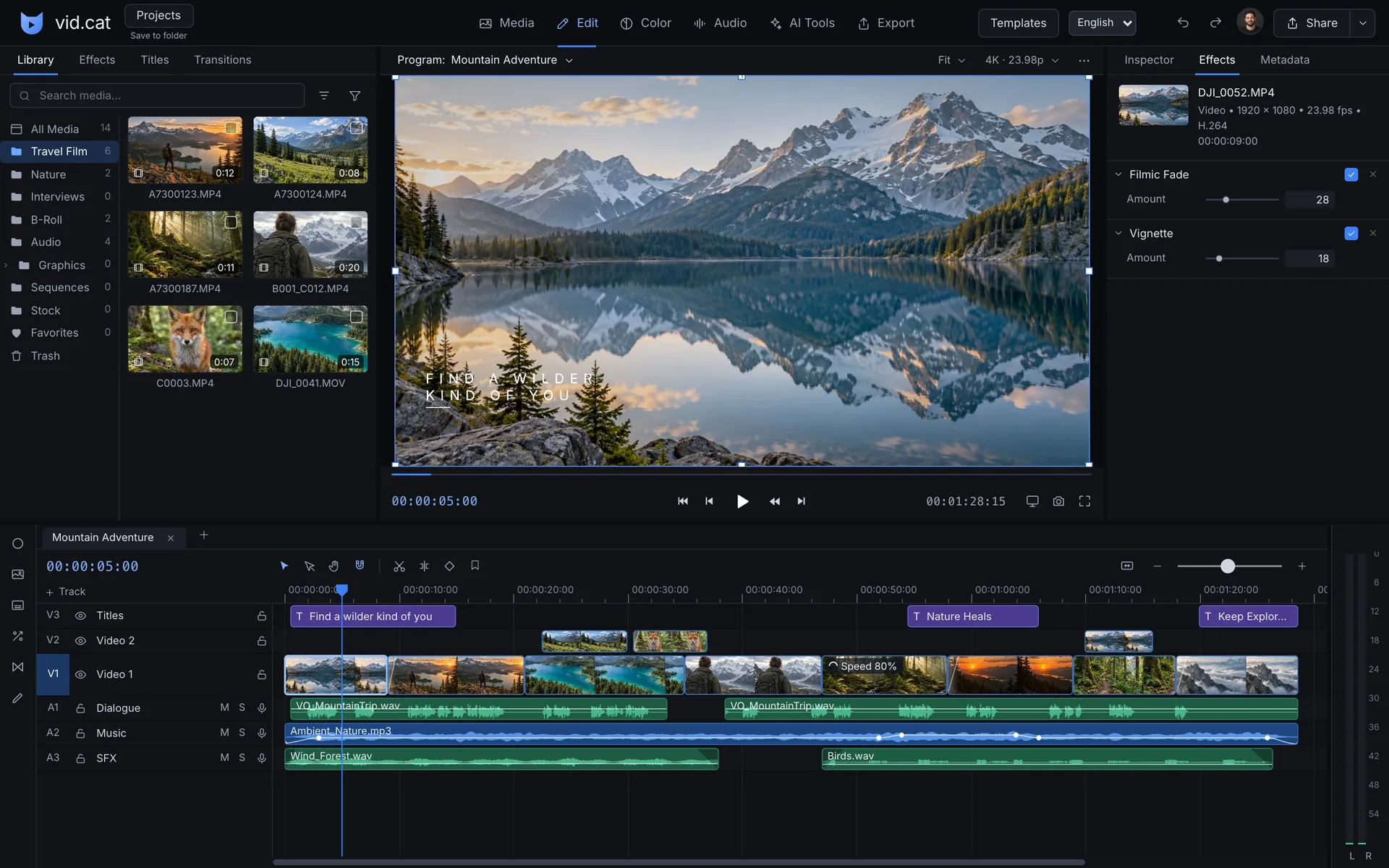
vid.cat — Video editor
The complete vid.cat workspace with media library, mountain preview, inspector, and timeline.
One browser tab. The whole picture.

On-device AI

Less busywork.
All on your machine.

Models download once, then run on your own machine. Your media is never uploaded for AI processing.

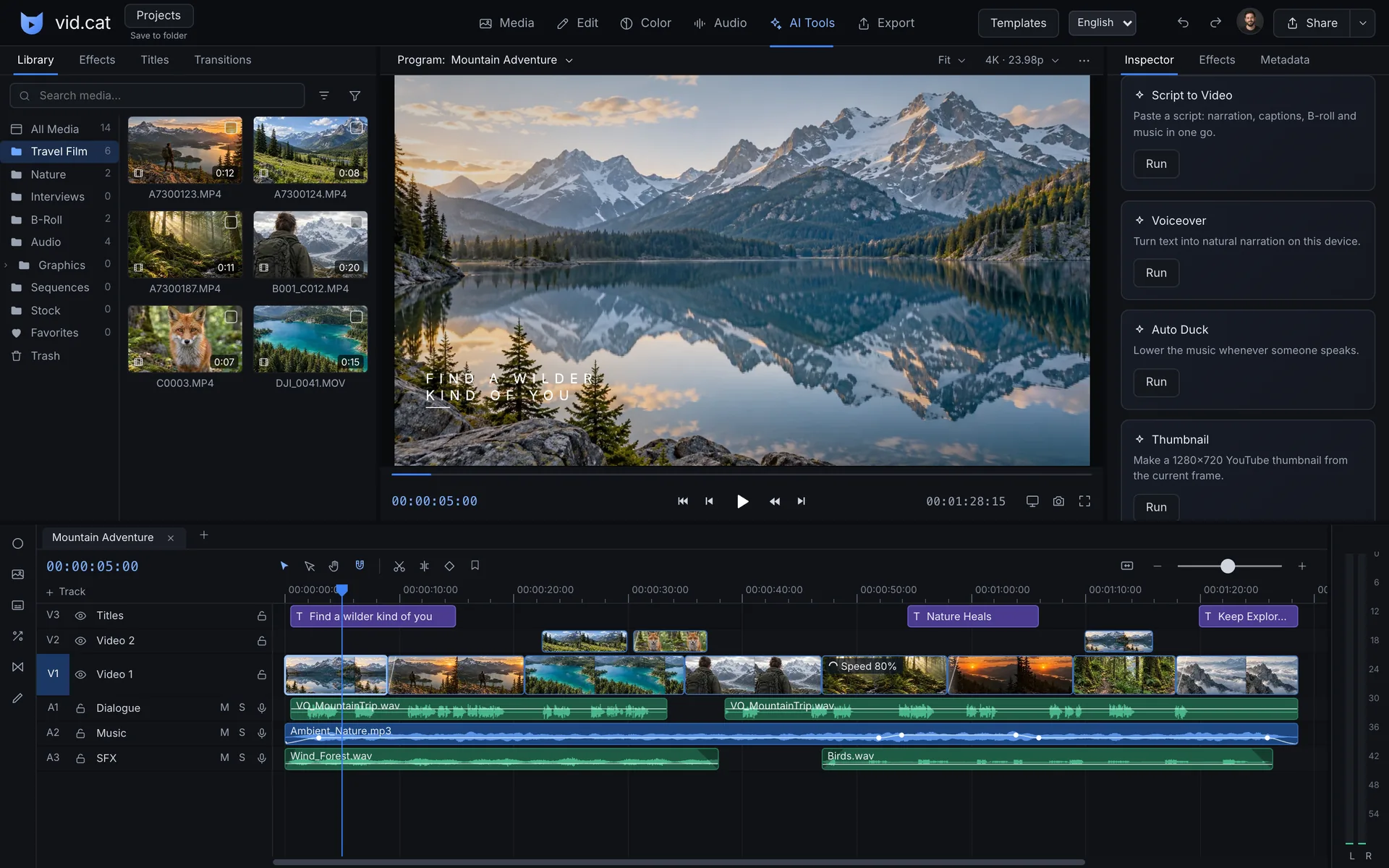
vid.cat — Video editor
The AI Tools workspace in vid.cat with its shipped tool list visible.
The tools are already here.Auto B-roll, silence removal, beat markers, beat-sync cuts, music ducking, 9:16 reframe, Make a Short, and a progress bar.
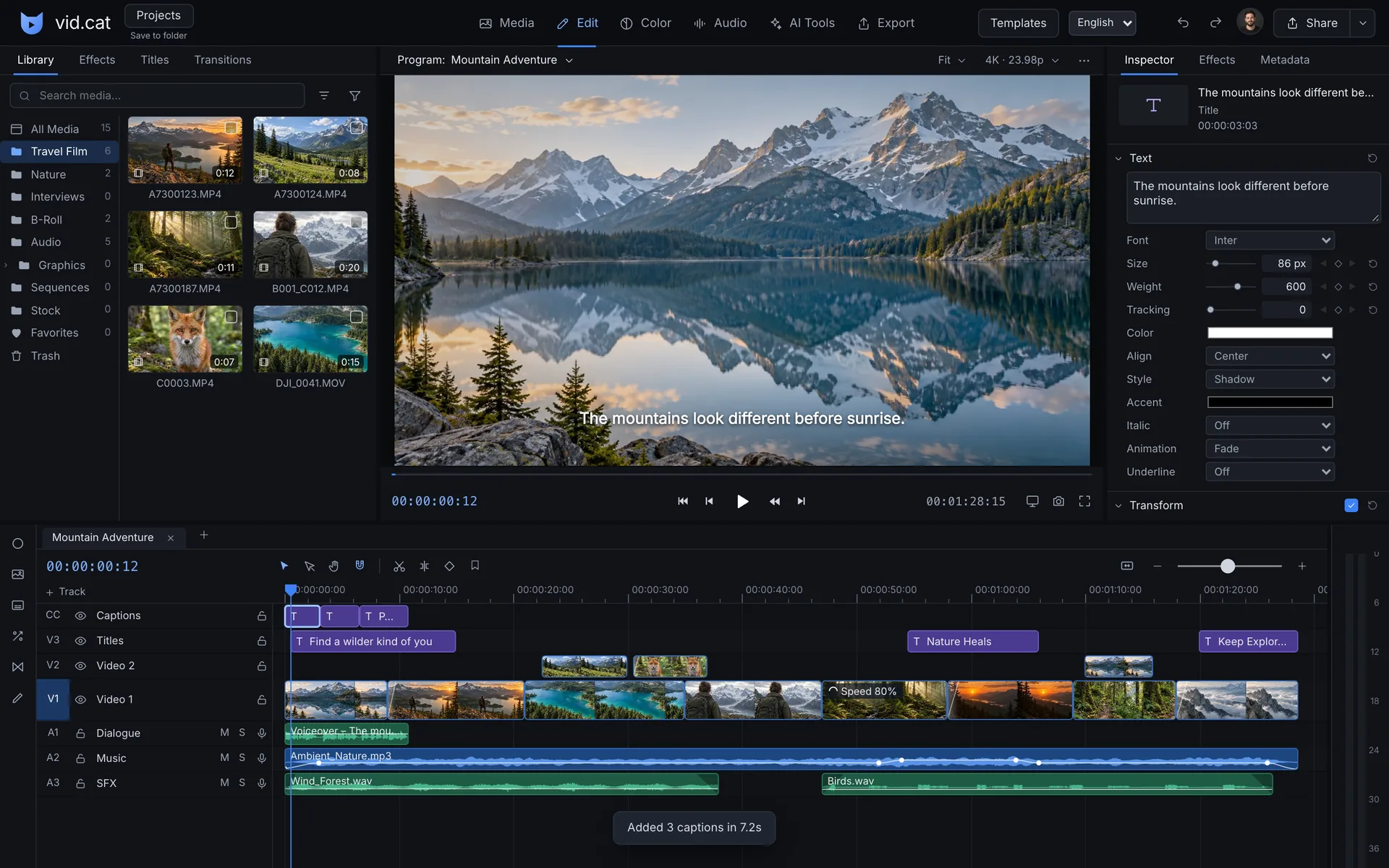
vid.cat — Video editor
Real Auto Captions output on the Captions track, with a caption rendered over the mountain footage.
Speech becomes editable captions.Auto Captions uses Whisper in a worker, with auto-detect plus English, Turkish, Catalan, German, Spanish, and French.
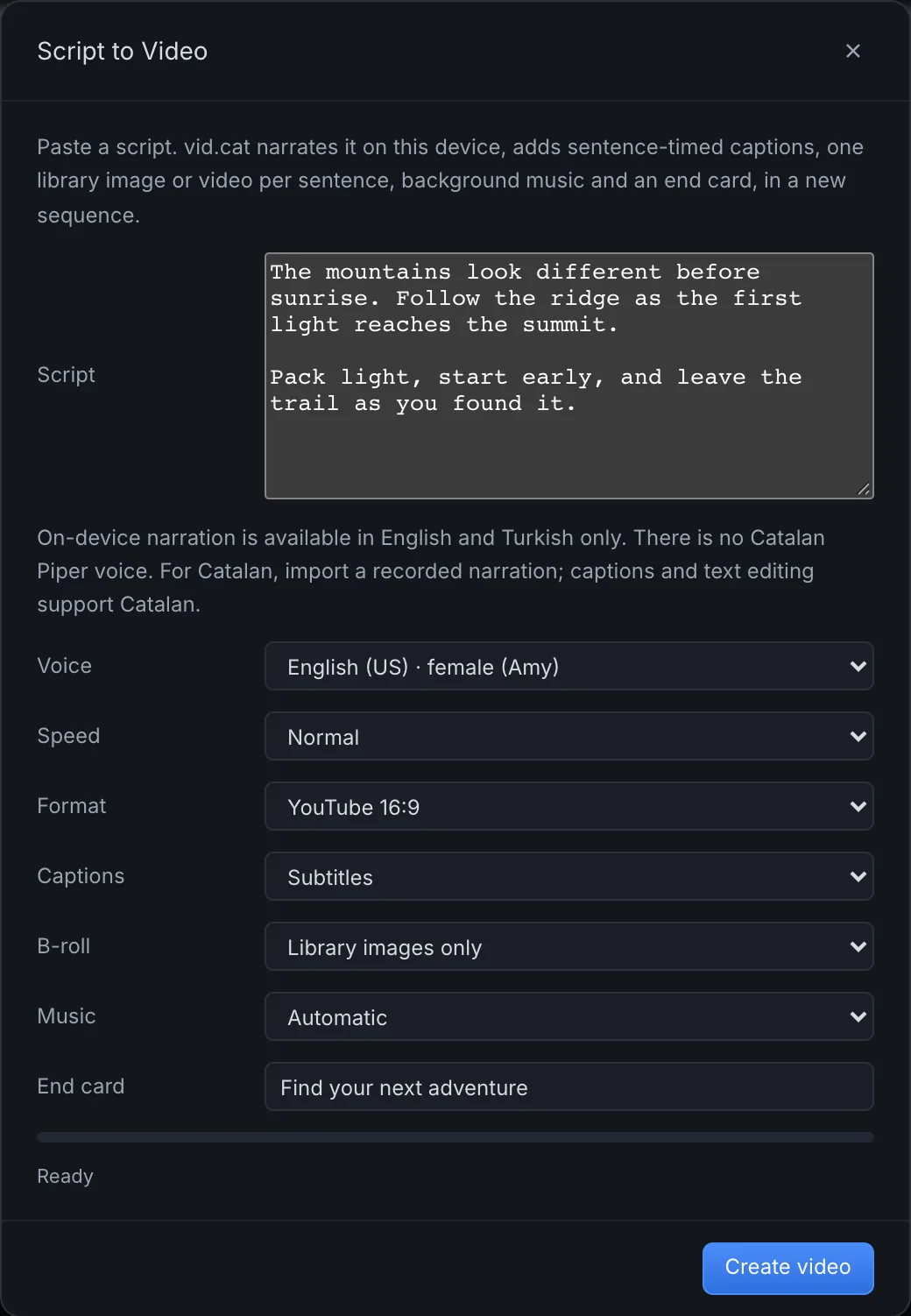
vid.cat — Video editor
The Script to video dialog filled with a mountain adventure script, voice, media, and end card settings.
Your script. A new sequence.Piper narrates your supplied script in English or Turkish. Add sentence-timed captions, one library image per sentence, a library music bed, and an end card.

Multiple Piper voices in English and Turkish. Captions require a supported device and are unavailable in Lite mode.

YouTube formats

An episode.
Not just an export.

Bring your angle and script. Build editable scenes with narration and captions, then prepare the thumbnail and YouTube text in the same editor.

vid.cat — Video editor
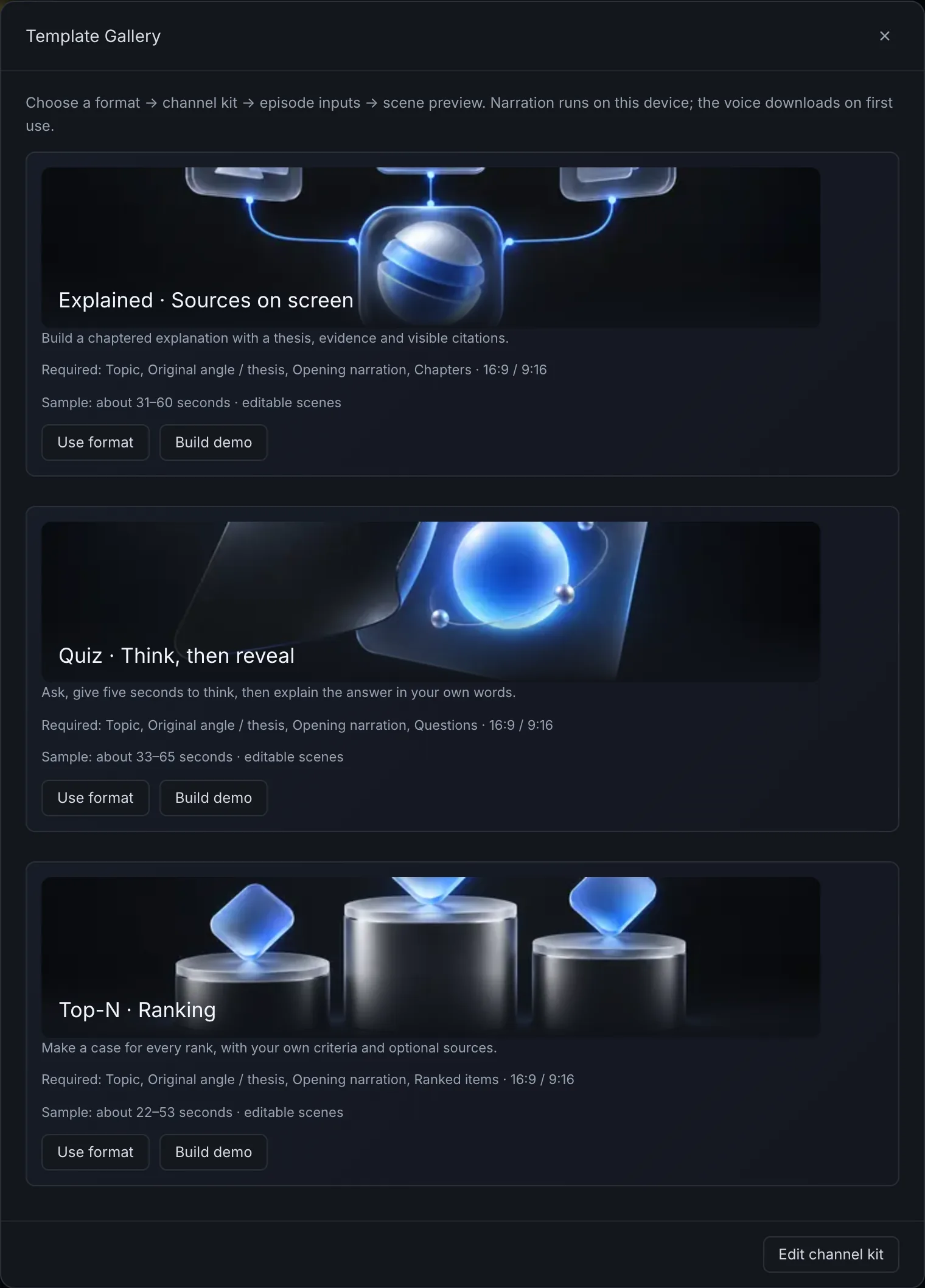
The real Template Gallery showing the Top-N, Explained, and Quiz formats.
Top-N. Explained. Quiz.Three shipped formats in 16:9 or 9:16. Save your voice, colors, type, music, intro, outro, and CTA in a reusable channel kit.
vid.cat — Video editor
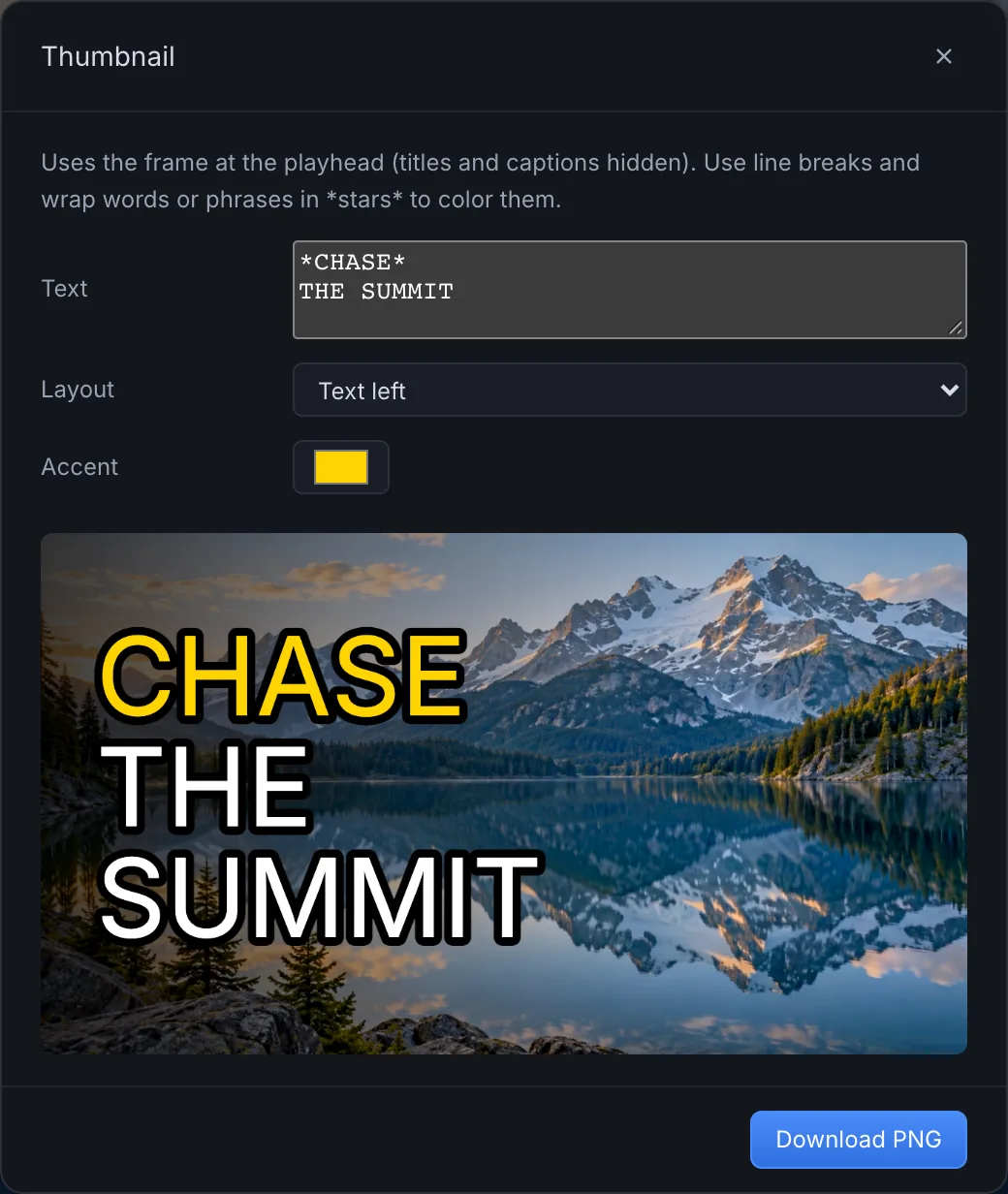
The Thumbnail dialog with a generated 1280 by 720 mountain thumbnail and highlighted accent word.
Make the cover, too.Generate a 1280×720 PNG from a clean frame. Mark accent words and set the color.
vid.cat — Video editor
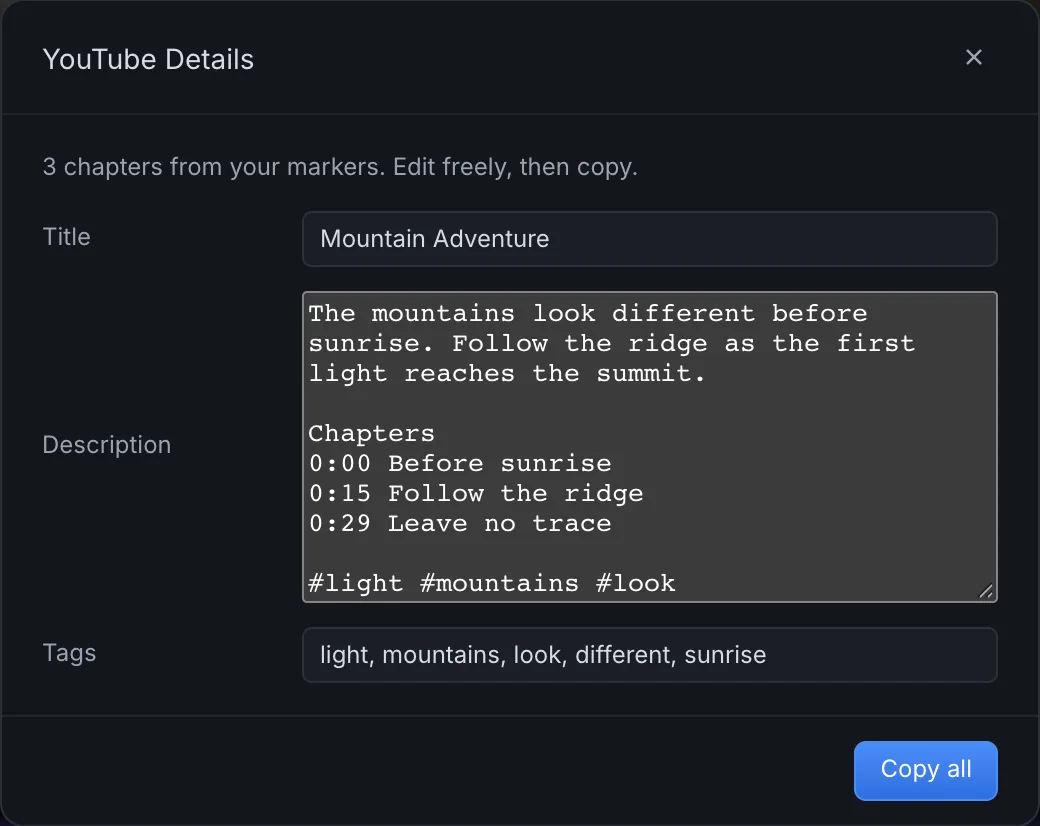
The YouTube Details dialog with a title, description containing timed chapters, and tags.
The upload text is ready.Get a title, description, tags, and transcript from your edit. Timeline markers become YouTube chapters. Review the text, then copy it.

Agent API

An editor your AI agent
can actually operate.

window.vidcat drives the whole editor from JavaScript: inspect state, cut clips, build a video from a script, and export. No screenshots. No pixel coordinates.

window.vidcatJavaScript
await vidcat.ready();
const [v] = vidcat.clips({ track: 'V1', at: 10 });
vidcat.split(12, v.id);
vidcat.set(v.id, 'color.saturation', -40);
vidcat.keyframe(v.id, 'transform.scale', { at: v.start, value: 100 });
vidcat.keyframe(v.id, 'transform.scale', { at: 12, value: 115, ease: 'easeInOut' });
vidcat.addTitle('Day one', { at: v.start, duration: 3, animation: 'rise' });
await vidcat.export({ preset: 'social' });
A real editing example, verbatim from the agent guide.
Read the agent API guide

Editing

Less friction.
More creation.

Find the right moment. Make the cut. Bring video, audio, and titles together on a multitrack timeline that leaves room for your ideas.

Learn more
vid.cat — Video editor
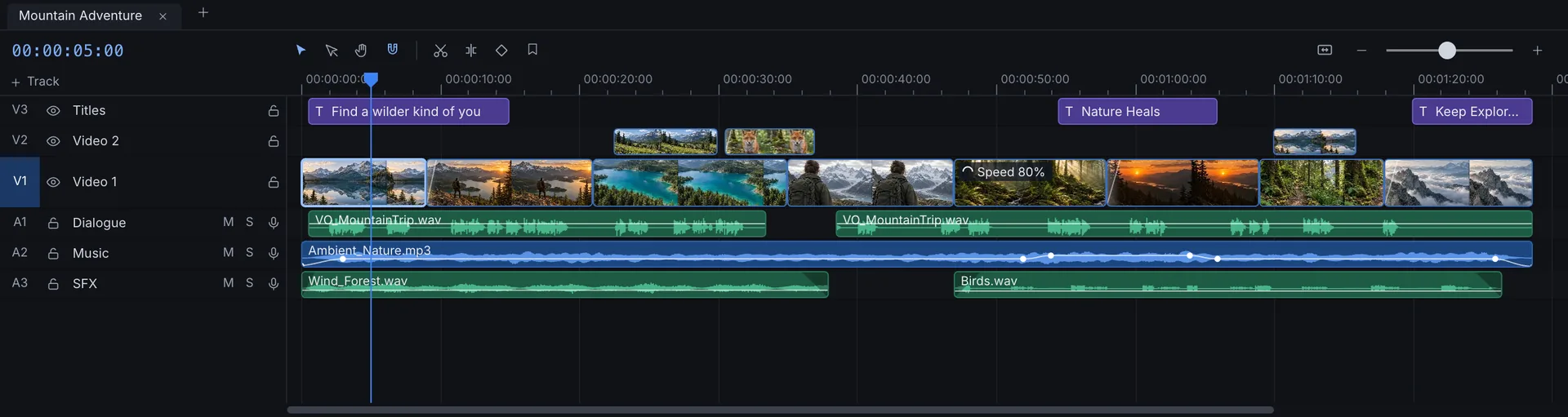
Video and audio clips across six timeline tracks, with purple titles, waveforms, and a crossfade.
Every layer. In its place.A real six-track edit, with titles, a crossfade, dialogue, music, and sound effects.

Find the right moment.

See your shots together. Trim a little. Let the story take shape.

Build the layers.

Give dialogue, music, and titles their own space. Keep the whole edit in view.

Make it flow.

Connect two shots with a crossfade. Fine-tune the rhythm, one frame at a time.

Browser

Big ideas.
Zero installation.

Bring your clips into a desktop browser. Preview your film, arrange the timeline, and refine each shot in one workspace.

Learn more
vid.cat — Video editor
The complete vid.cat workspace with media library, mountain preview, inspector, and timeline.
  1. Media libraryYour clips, ready to go.
  2. ViewerSee your story take shape.
  3. InspectorRefine every detail.
  4. TimelineBring every layer together.

The complete editing workspace. Built for desktop Chrome and Edge.

The details

Your final frame.
Ready for the world.

On-device AI
Whisper captions, Piper voiceover, Script → video, and assistive editing tools. Models are cached on your device.
YouTube formats
Top-N, Explained, Quiz, and a channel kit. Landscape 16:9 and vertical 9:16 sequences.
Thumbnail and upload text
1280×720 thumbnails with accent words. Titles, descriptions, marker-based chapters, tags, and transcripts.
Agent API
Read and operate the editor through window.vidcat. Documented JavaScript commands at /llms.txt.
Browser-native WebCodecs engine
Decode and encode video using your browser’s media capabilities.
Multitrack timeline
Bring video, audio, and titles together. Keep every layer within reach.
Titles, transitions, and effects
Add the finishing touches that make a story your own.
Keyframes
Control how your edit changes, moment by moment.
Export presets
Choose a format. Give your finished video somewhere to go.
No install
Go from a browser tab to your next project. No editor to install. AI models download on first use.

OPEN BETA

Your next great edit
starts here.

The editor is open. Start creating now, or sign up for beta updates.